Are you a WordPress developer or a Web Designer who uses WordPress to develop websites for your clients? Or are you a novice WordPress user?
Have you ever wanted not to show Pages, Posts, Custom Post Types, Categories, or Custom Taxonomies in the menu? Or wanted to restrict access to certain content on your website? With Pages by User Role, you can add Access Control to the following things in WordPress based on which Role the user has.
- Pages
- Posts
- Categories
- Custom Post Types added by third-party plugins
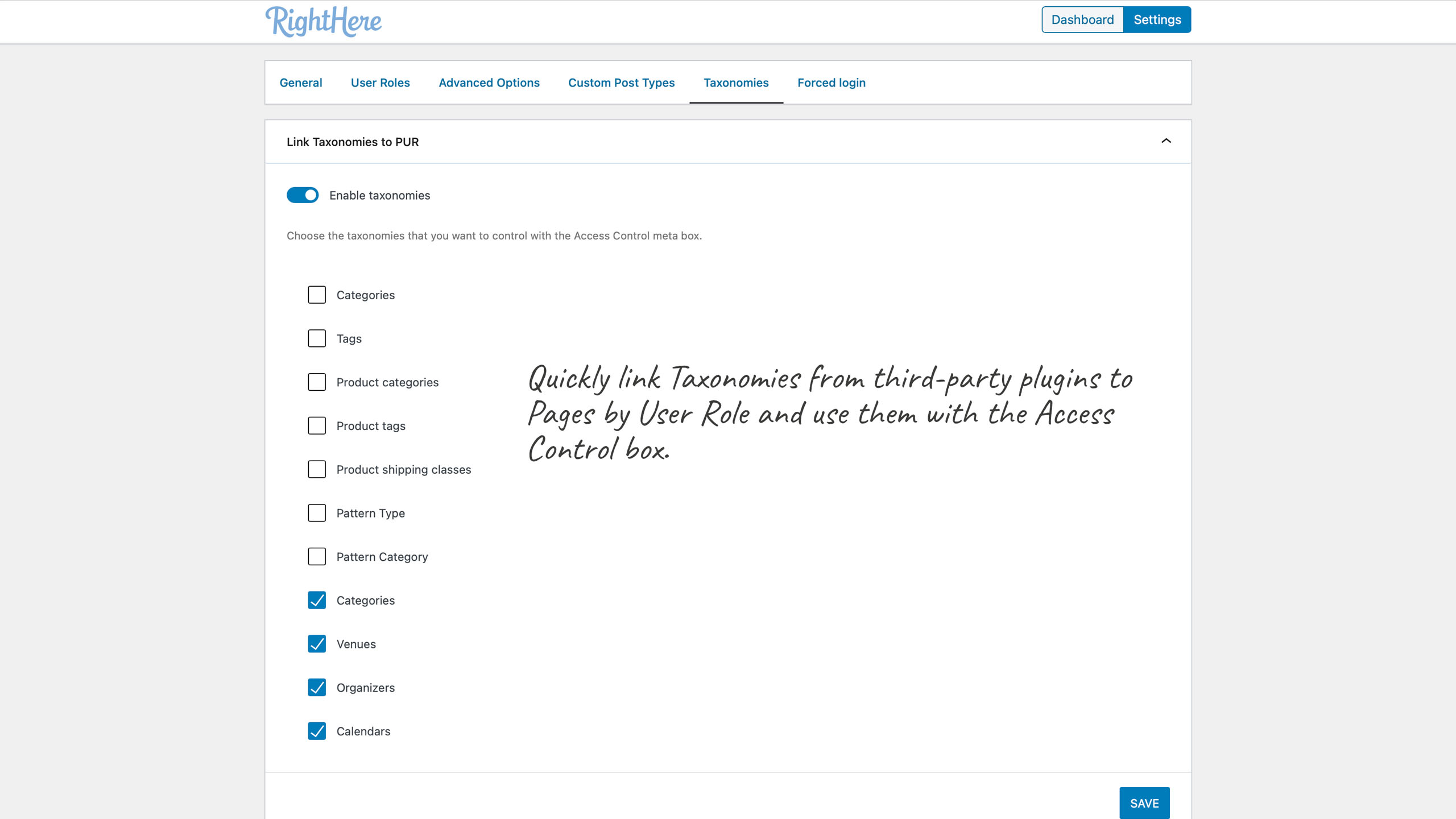
- Custom Taxonomies added by third-party plugins
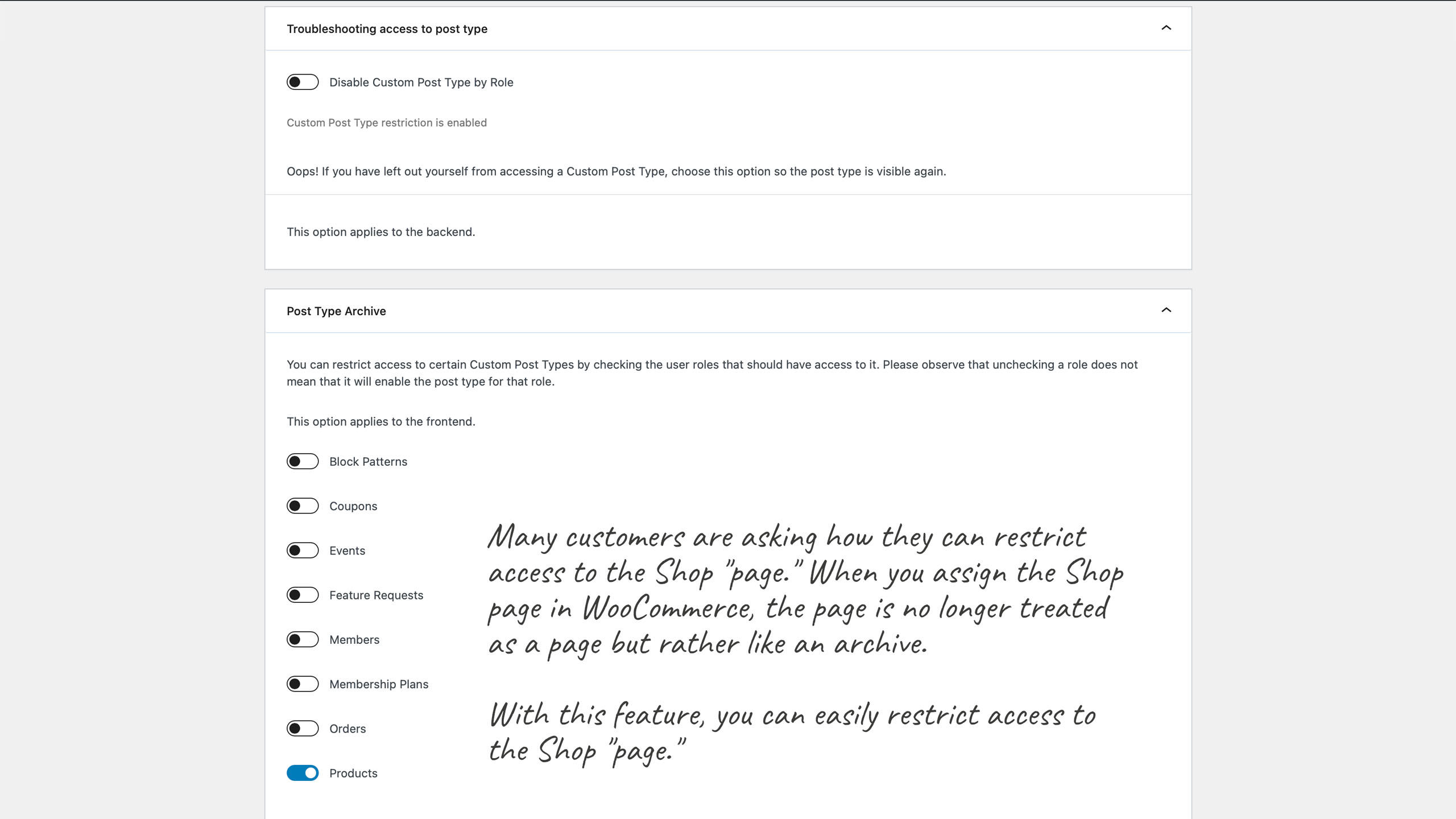
- Post Type Archives
- WooCommerce (Shop, Cart, Checkout, My Account, and Products)
We have made this very easy with Pages by User Roles for WordPress.
The plugin also removes the Page, Post, Custom Post Type, or Categories of search results and blogroll. You can hide Page and Categories from the menu when users are not logged in. You can also set a specific redirect URL for users that don’t have the required User Role.
It also works if you are using the custom menu feature built into WordPress. It will hide the menu items that have been assigned a user Role when the user is not logged in.
Screenshots
List of features
Options
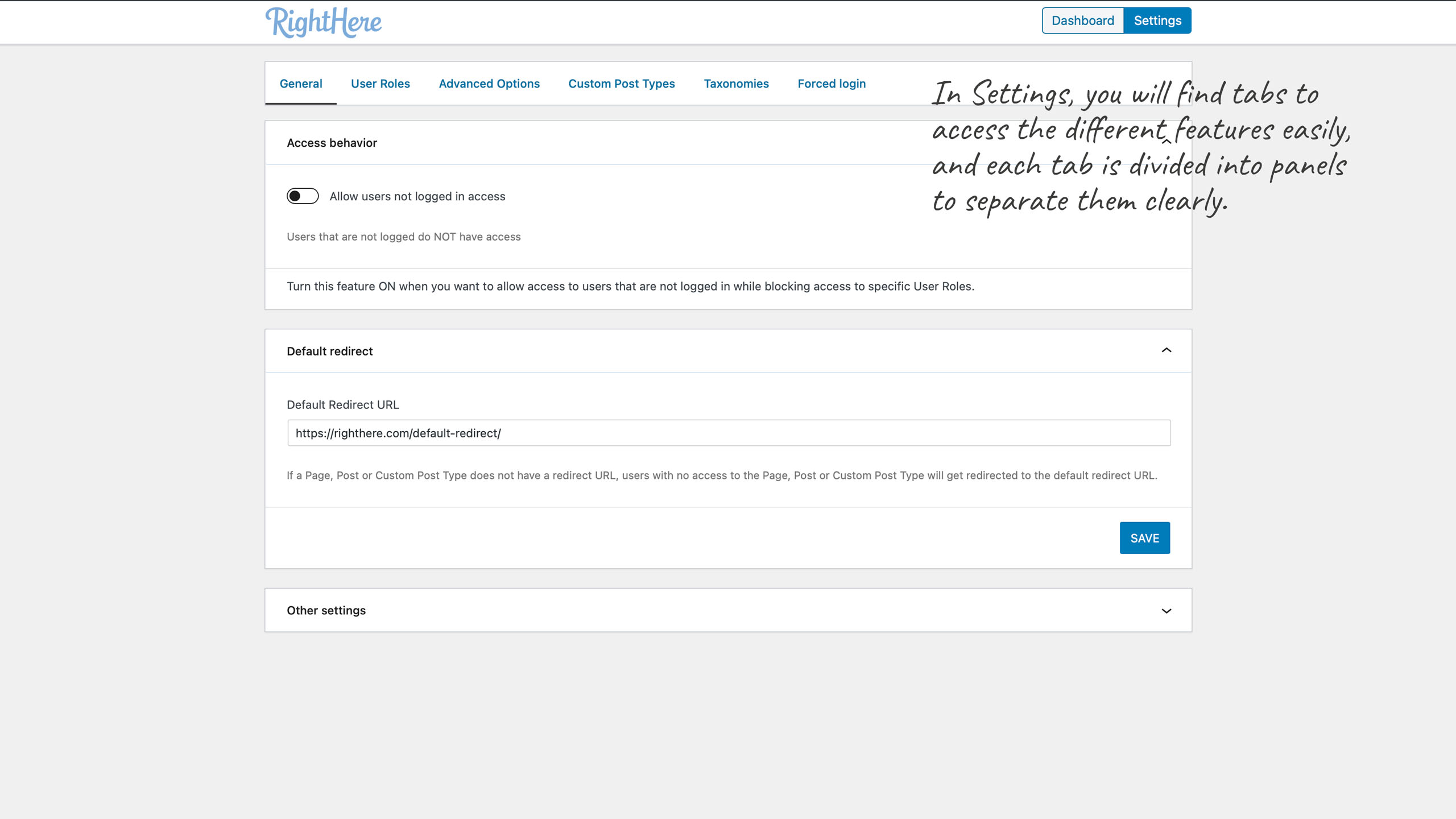
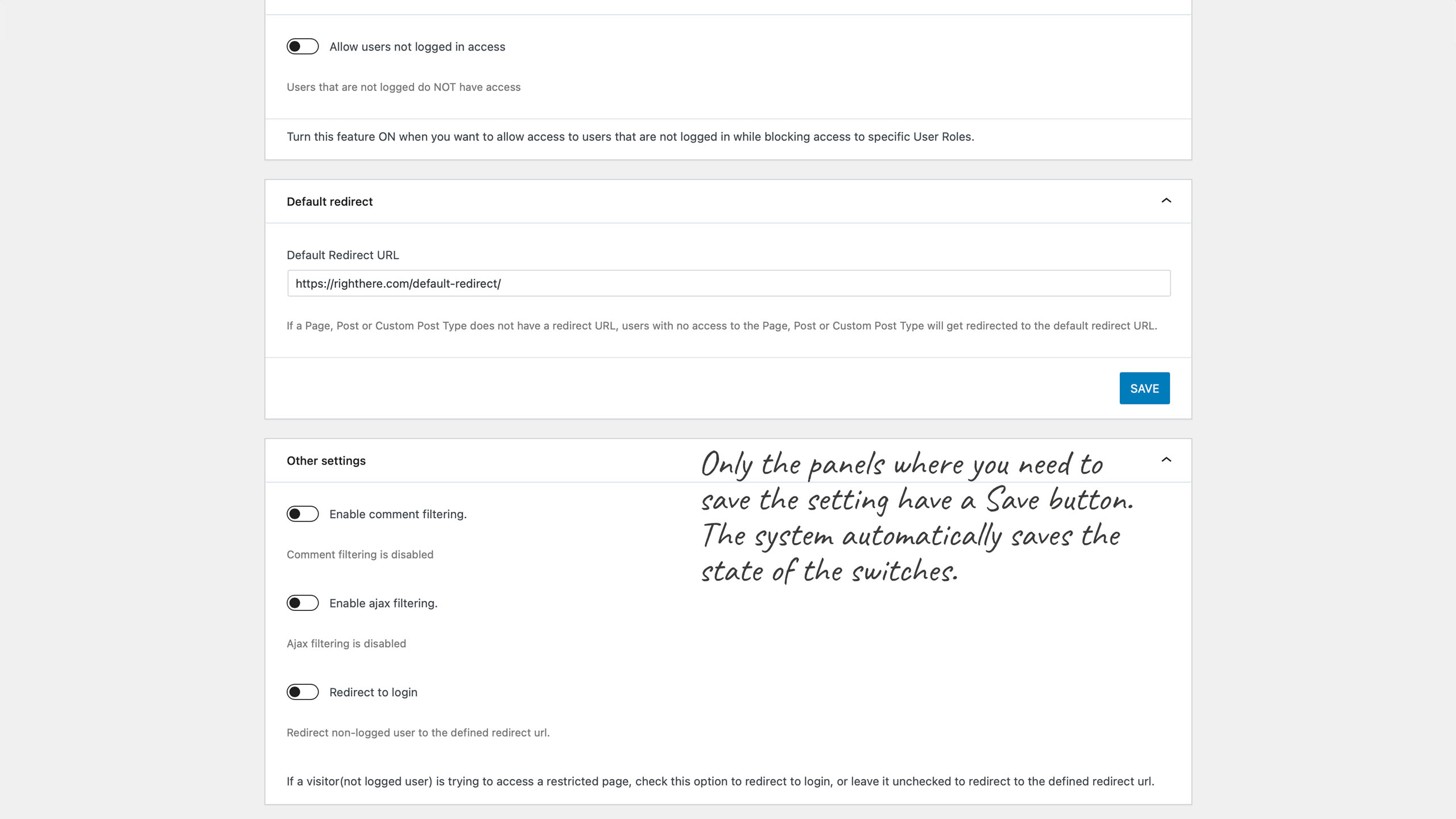
- Set default redirect URL for users that do not have access to a Page, Post or Custom Post Type.
- Enable comment filtering
- Redirect to login
- Panic option if you restrict yourself from viewing a Custom Post Type
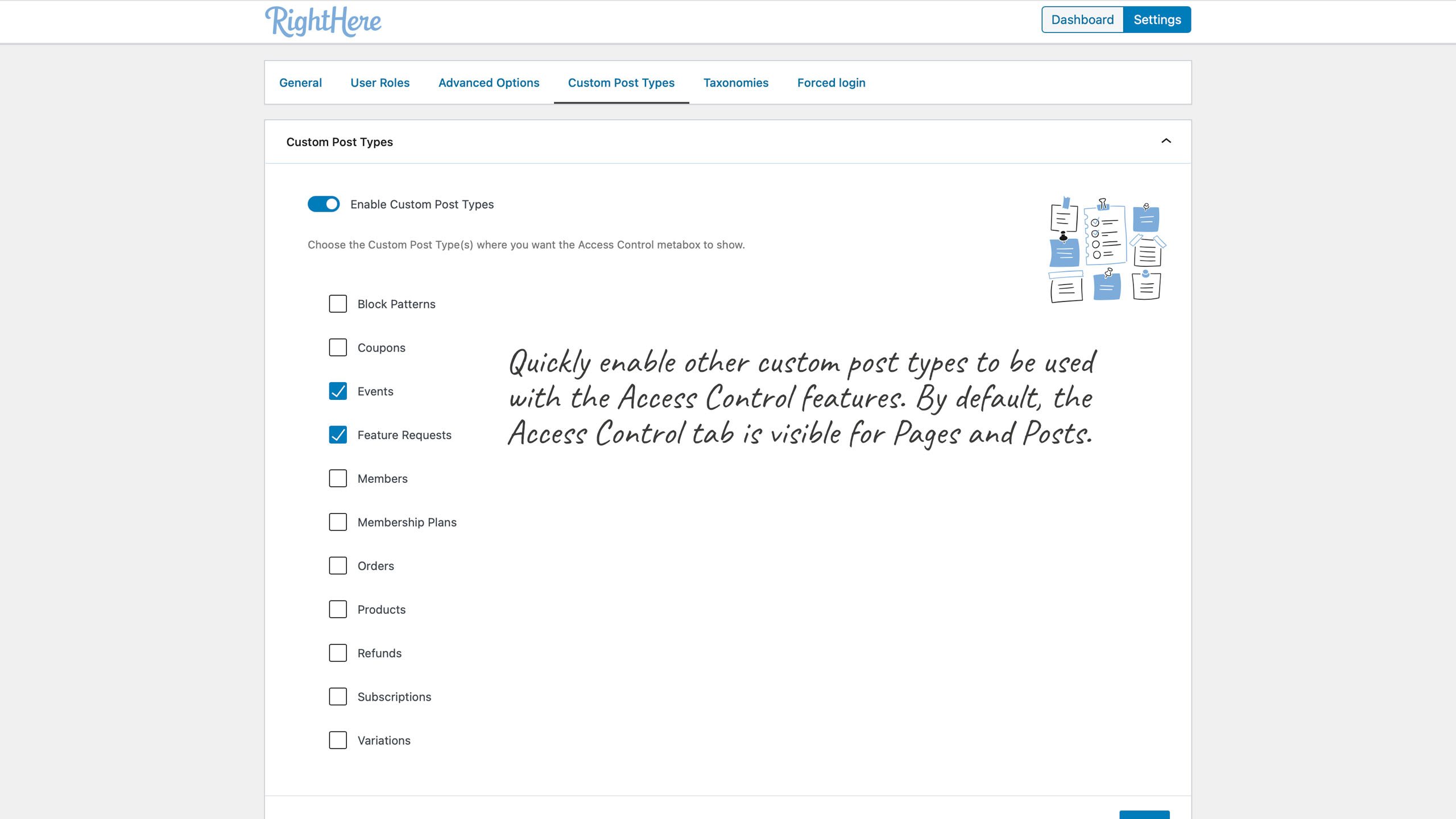
- Enable Access Control to Custom Post Types
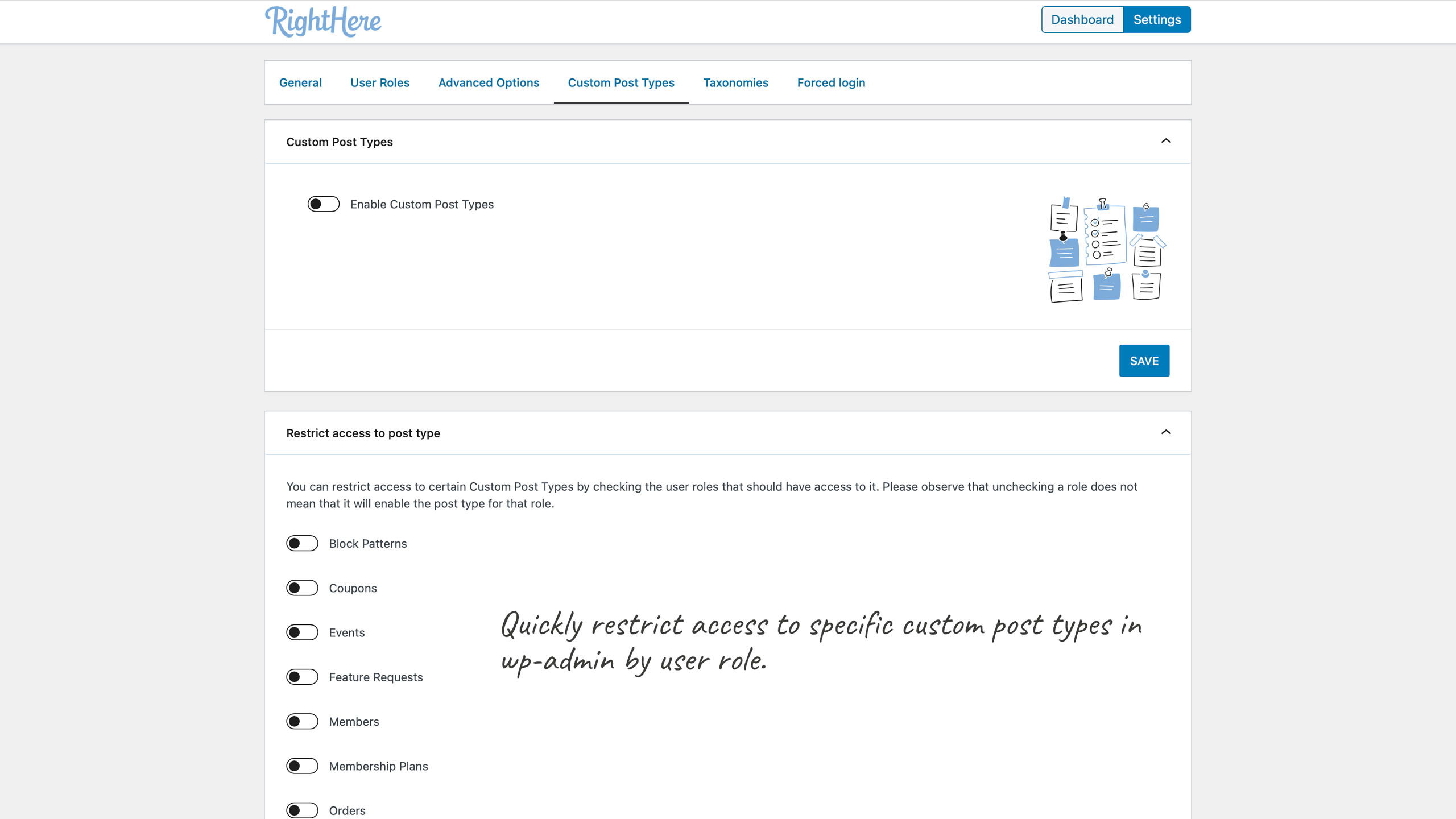
- Restrict access to Custom Post Types in the Frontend by User Role
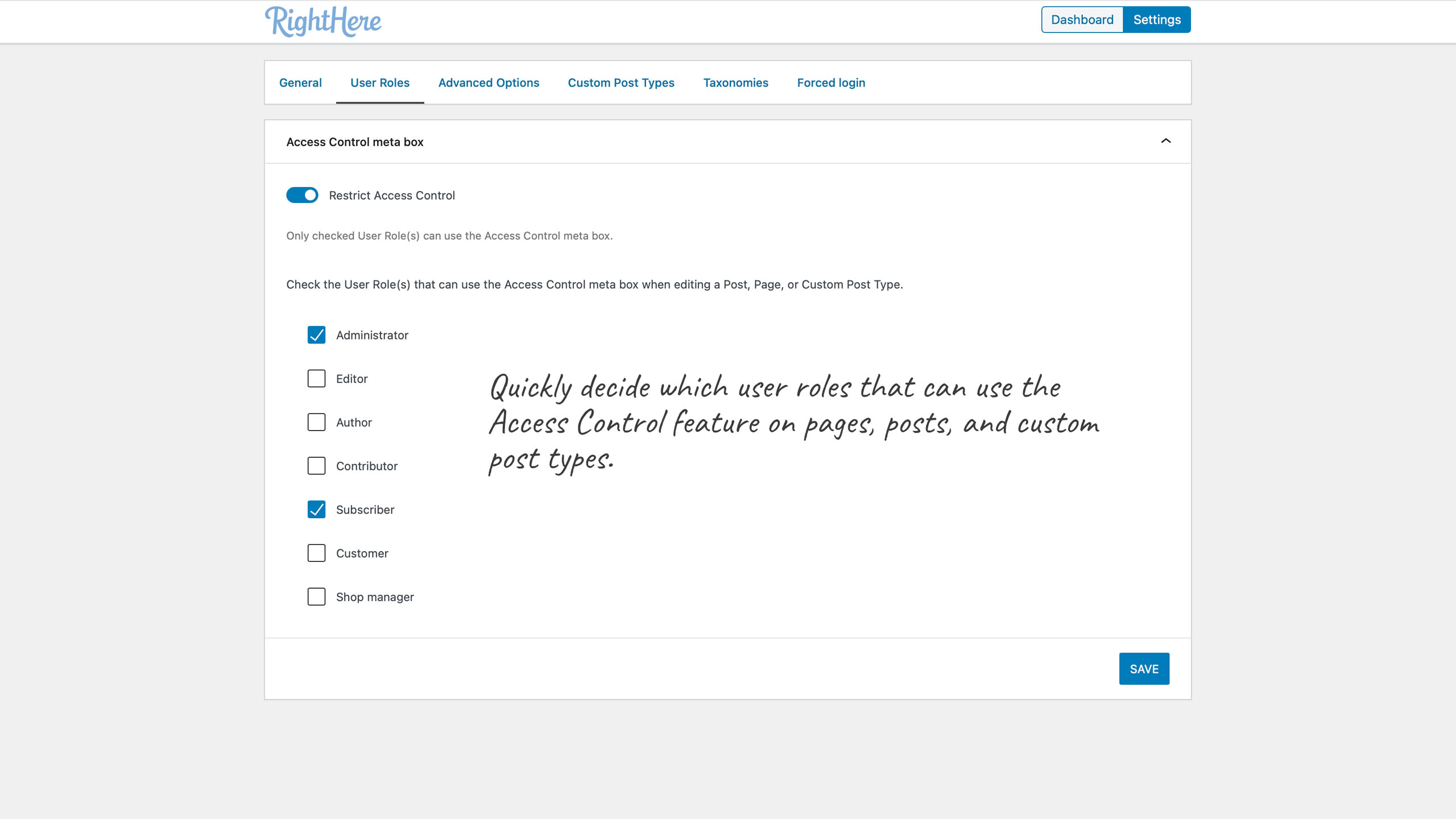
- Restrict access to Access Control Metabox by User Role on Pages, Posts, Custom Post Types and Custom Taxonomies.
- Restrict access to WooCommerce (Shop, Cart, Checkout, My Account, and Products)
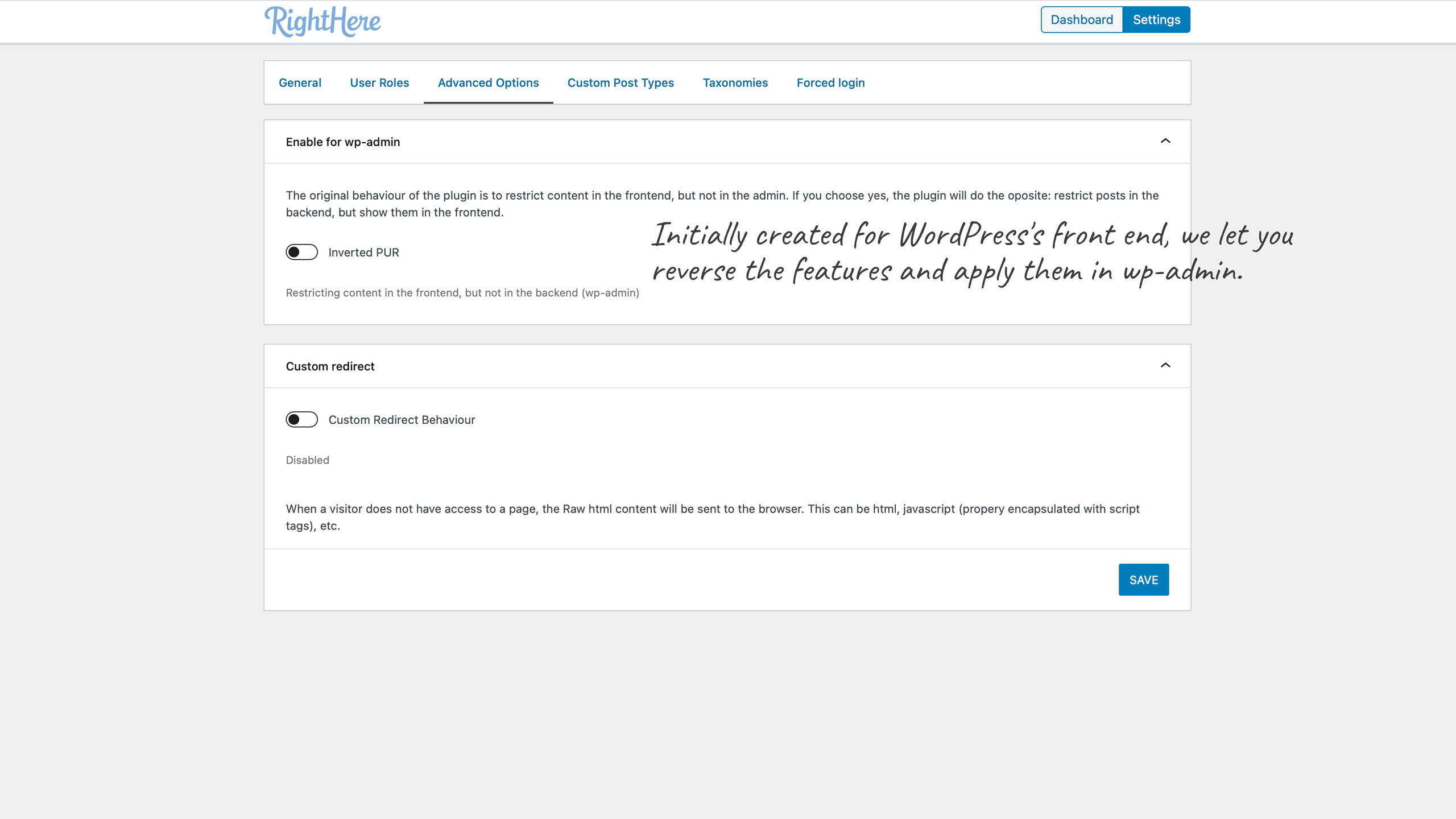
- Revert the Pages by User Role behavior to the backend instead of the original front end.
- NEW: Allow or Disallow specific usernames access to a page, post or custom post type.
- NEW: Allowing or Blocking access to Posts assigned to specific Terms based on User Role
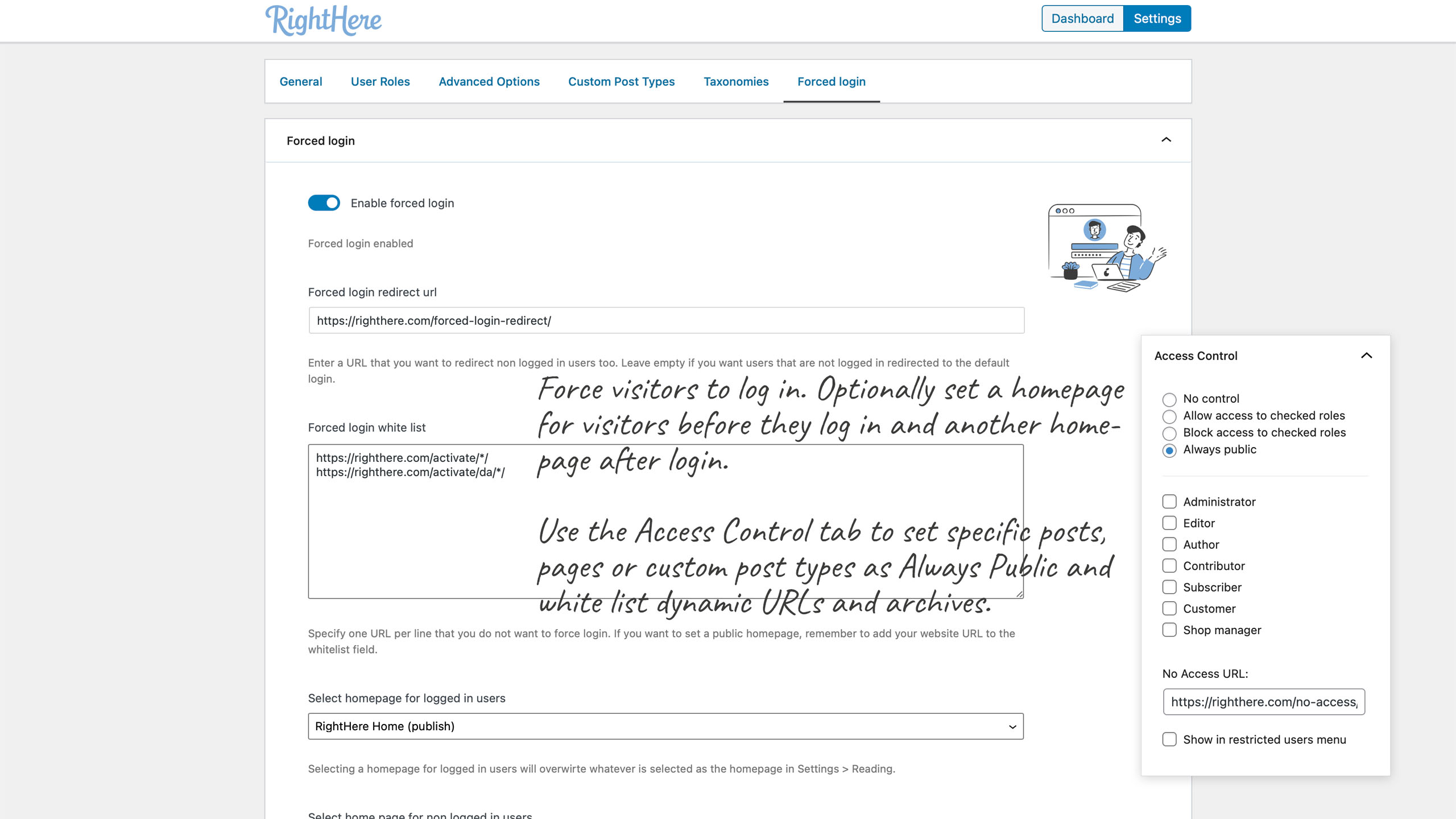
- NEW: Enable Forced Login (private website. Requires login by user to access content). White List specific URLs
- NEW: Make pages, posts, custom post types “Always Public”. Meaning they can be accessed even though the website requires login.
- NEW: Set home page for logged in users
- NEW: Set home page for non logged in users
- NEW: Set home page by user role
- NEW: Restrict accces to wp-admin by user role and set redirect URL.
- NEW: Hide a post (custom post type) from the frontend, but still show in wp-admin, Ajax, and REST API.
- New: Maintenance feature. Allow only specific usernames to log in.
Pages, Posts, and Custom Post Types
- A quick overview of User Role Access on Page, Post, and Custom Post Types
- Set Access Control for Subscriber, Contributor, Author, Editor, and Administrator
- Set Access Control for custom User Roles (you need White Label Branding to create the Custom User Roles or a third-party plugin allowing you to create user roles)
- Set Access Control for Categories
- Set individual redirect URLs for each Page, Post, and Custom Post type when a User Role doesn’t have access.
- Hide individual Pages from the menu (or show restricted pages in the menu)
- Hide Categories from the menu
- Hide individual Pages, Posts, Custom Posts Types, and Categories of search results and blogroll
- Restrict access to content by using Shortcodes. Access controlled by User Role pur_restricted
pur_restricted_alt
pur_not_logged_in
Changelog
Version 1.7.3.101123 – May 28, 2024
- Bug Fixed: When a category is blocked but not the page, and a visitor who is not logged in visits the page, the visitor should be blocked but can access the page instead.
Version 1.7.2.101119 – April 16, 2024
- New Feature: Add always Allow Usernames and always Disallow Usernames access control. Access by username has higher priority than access by user role.
Version 1.7.1.10456 – July 4, 2022
- New Feature: Added support for allowing specific usernames to log in. It is useful if you need to perform maintenance on your website and only want specific users to access it (wp-admin).
Version 1.7.0.10317 – May 6, 2022
- New Feature: Added an option to hide a post (custom post type) from the frontend but continue to show in wp-admin, Ajax, and REST API. Use case: Hiding a course from the front end of the website but still showing the course inside the BuddyBoss App.
- New Feature: Added Integrations tab to Settings. Allows the Administrator to toggle ON/OFF the hide in the frontend setting in the Access Control meta box.
- New Feature: Added status message in post list (Access Control column)
Version: 1.6.5.100179 – October 29, 2021
- Bug Fixed: When a role is blocked from the front page, WooCommerce checkout Ajax crashes.
Version 1.6.4.99097 – May 6, 2021
- New Feature: Restrict an entire Post Type by User Role. This will ignore the option to allow non-logged-in users access to restricted content. Other restrictions may still apply if the user role has access to the post type. Like when individual settings are set for an individual Post Type.
Version 1.6.3.99091 – May 4, 2021
- New Feature: Access to wp-admin by User Role.
Version 1.6.2.98892 – March 23, 2021
- Update: Use properly escaping in PHP
- New Feature: Set homepage by User Role
Version 1.6.0.98592 – February 26, 2021
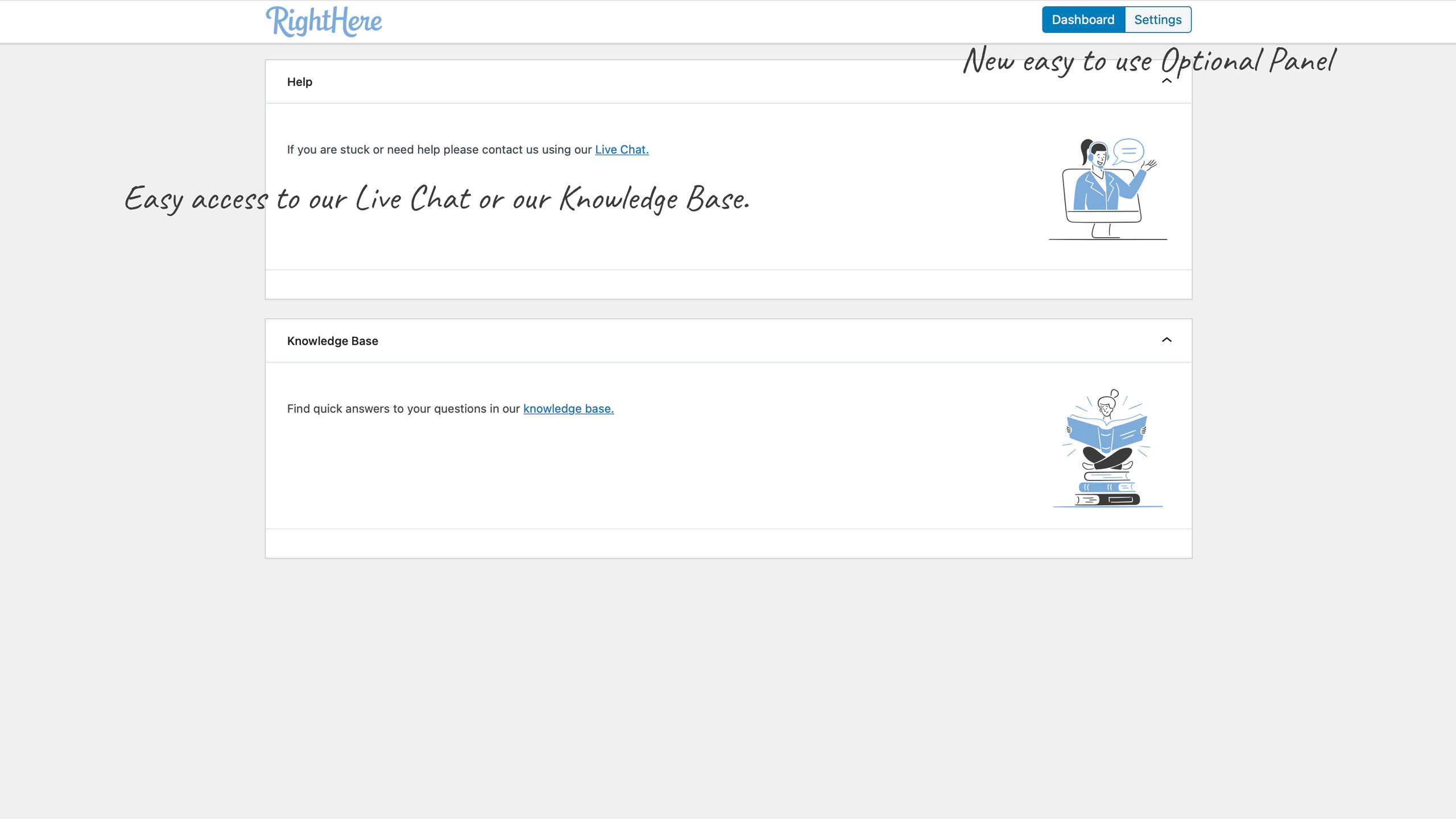
- New Feature: Added new React based Options Panel to the plugin.
- Update: Converted all old features from Options Panel to new React based Options Panel
- Update: Used “strict mode” for all Javascript.
- Update: Removed empty folders
- New: Added new updated .pot file for translation (English)
- New: Added support for custom redirect Url when using Forced Login.
- New: Added support for using wildcard /* in Forced Login white list.
Version 1.5.1.98183 – November 27, 2020
- Bug Fixed: Forced Login was causing the user to enter password twice.
Version 1.5.0.97742 – August 20, 2020
- New Feature: Forced Login. Make your website completely private
- New Feature: White-list Pages, Posts, and Custom Post Types (Always Visible) even though you have enabled the Forced Login feature
- New Feature: White-list URLs. This is useful if you want to white-list e.g. archives and categories when the Forced Login feature is enabled.
- New Feature: Added support for settings a specific front-page for users not logged in and a front-page for users logged in. This feature can be used with or independently of the Forced Login feature.
- Bug Fixed: Block access to a Taxonomy term archive page
Version 1.4.7.97641 – August 17, 2020
- Compatibility Fix: Javascript error in Options Panel after upgrading to WordPress 5.5.
Version 1.4.6.96524 – March 5, 2020
- Update: Added support for restricting access to Pages added to WooCommerce > My Account when using the WooCommerce Account Pages plugin (https://iconicwp.com/products/woocommerce-account-pages/)
Version 1.4.5.86663 – December 14, 2018
- Update: Styling improvements in Options Panel
Version 1.4.4.83225 – April 20, 2018
- Bug Fixed: PHP warning in the frontend
- Bug Fixed: PHP warning on IIS server
Version 1.4.3.82846 – February 7, 2018
- Compatibility Fix: Pages by User Role caused the content of blog posts on some websites to be hidden when using WordPress Notification plugin and Pages by User Role.
version 1.4.2.82096 – November 11, 2017
- Bug Fixed: When blocking access to a Page for one specific User Role and allowing users that are not logged in to access the page, the remaining user roles were blocked. This was related to the new feature we just introduced.
Version 1.4.1.82080 – November 10, 2017
- New Feature: Added feature for handling users that are not logged in (General Settings)
Version 1.4.0.81397 – September 13, 2017
- Update: Added language folder and US English .po file
Version 1.3.9.80977 – August 3, 2017
- Bug Fixed: Issue with terms (array_unique)
Version 1.3.8.80492 – June 21, 2017
- Bug Fixed: The Post Type Archive option is not blocking access to post type archive pages in the frontend
Version 1.3.7.79512 – May 12, 2017
- Bug Fixed: Ajax adding terms (missed control for column’s content)
Version 1.3.6.78455 – April 12, 2017
- Bug Fixed: Term restrictions wasn’t working properly
- Bug Fixed: Issue with text when content restricted
Version 1.3.5.77856 – March 25, 2017
- Compatibility Fix: In some sites, higher user roles got unchecked in the Access Control Box if lower user role edits the Post, Page or Custom Post Type
Version 1.3.4.76510 – January 30, 2017
- Bug Fixed: Default Redirect URL, not working
- Bug Fixed: Default Redirect URL not working
- New Feature: Added support for Allowing or Blocking access to Posts assigned to specific Terms based on User Role
- New Feature: Added support for Allowing or Blocking access to Posts assigned to specific Terms based on User Role
Version: 1.3.3.76125 – January 13, 2017
- Bug Fixed: Restrict content shortcodes broken after recent update
Version 1.3.2.75839 – December 29, 2016
- Bug Fixed: Restricting access to WooCommerce Shop page didn’t work properly
- Update: Added link to Help Center in Help tab
Version 1.3.1.75264 – November 17, 2016
- Bug Fixed: Restrictions for users not logged in
- Bug Fixed: Access Control column overwrites Taxonomy Images column
- Bug Fixed: Access Control not working properly for Topic in BBPress
Version 1.3.0.75207 – November 15, 2016
- New Feature: Added support for Custom Taxonomies
Version 1.2.9.69262 – April 9, 2016
- New Feature: Added support for BuddyPress
- New Feature: Added support for BBPress
VERSION 1.2.8.69096 – MARCH 31, 2016
- Update: Changed order of Option Panel tabs
- Bug Fixed: post_type_enabled fixed getting post_type name
- Compatibility Fix: Added check for WooCommerce Shop, Cart, My Account and Checkout) to avoid PHP warning.
VERSION 1.2.7.68965 – MARCH 26, 2016
- Compatibility Fix: Change classes where the constructor has the same name as the class to __construct (PHP 7 compatibility).
- New Feature: Allow restricting access to WooCommerce pages Shop, Cart, My Account and Checkout (restrictions for WooCommerce Custom Post Type archive page)
VERSION 1.2.6.67786 – FEBRUARY 11, 2016
- Compatibility Fix: An undetermined third party plugin is causing a PHP warning
- New Feature: Added option to include filtering in the Ajax (Usage: Javascript loaded posts that use wp-admin/admin-ajax.php in the front end).
VERSION 1.2.5.58443 – APRIL 24, 2015
- Improvement: Replaced add_query_arg() due to an XSS vulnerability issue that affects many WordPress plugins and themes. Please observe that before the function could be accessed the user had to be an Administrator, meaning that the potential issue was not available to the public.
VERSION 1.2.4.55151 – JANUARY 6, 2015
- Bug Fixed: When blocked post id’s make the query result empty, the blocked posts are not blocked at all.
VERSION 1.2.3.54781 – NOVEMBER 19, 2014
- Compatibility Fix: BBpress topic not shown, replies show when put is active
VERSION 1.2.2.54690 – NOVEMBER 8, 2014
- New Feature: Advanced option to out a custom HTML/Javascript when a page is restricted to the user
- New Feature: Restrict Post Type Archive by User Role, which allows you to restrict access to Post Type Archives by User Role and set an independent redirect URL for it
- Bug Fixed: Disappearing Options Tab
- Bug Fixed: When using inverted PUR the edit post link in the toolbar was still visible, and the user can actually bypass the restriction and edit the post.
- Bug Fixed: Undesired redirect on Calendarize it! Events
- Compatibility Update: WooCommerce product pages
VERSION 1.2.1 REV47835 – MARCH 17, 2014
- Bug Fixed: Handle a situation where under some buggy conditions, output have been already sent by the site, before it should, and thus breaking redirection.
- Bug Fixed: Removed php warnings
- New Feature: Added a setting to restrict what user roles will be able to view the “Access Control” Metabox.
- New Feature: Experimental Inverted PUR functionality
VERSION 1.2.0 REV22604 – MARCH 6, 2012
- New Feature: pur_not_logged_in shortcode for showing content only
- to visitors NOT logged in.
- New Feature: Enable Administrator to allow or block access to
- user roles (previously was only allow)
- New Feature: Show in menu when restricted post type
- New Feature: In the list of posts, in the Access Control column
- show if PUR is Allowing or Denying access to listed roles
- New Feature: Show Allow as Green and Deny as Red.
- Bug Fixed: Avoid a crash with Options Panel version 2
VERSION 1.1.8 REV14552 – DECEMBER 19, 2011
- Update: Enabled WordPress 3.3 functionality
VERSION 1.1.7 REV11497 – DECEMBER 10, 2011
- Bug Fixed: pur_restricted Shortcode was not rendering Shortcodes in the content
- New Feature: pur_restricted Shortcode now allow alternative text with HTML.
VERSION 1.1.6 REV9091 – SEPTEMBER 26, 2011
- New Feature: No Access behavior customization. Admin can specify if a restricted
- page should redirect to login or to redirect URL.
- Bug Fixed: Adjust the redirect URL field in the metabox
- Bug Fixed: Added missing registration service library
VERSION 1.1.5 REV7652 – AUGUST 8, 2011
- New Feature: Built-in Shortcode pur_restricted to restrict access to certain sections
- of the content by capability; defaults to view_restricted-content but any capability
- Update: Options Panel updated
- New Feature: No access behavior customization. Admin can specify if a restricted page should
- redirect to login or to redirect URL.
- New Feature: Custom Post Types by User Role. This only shows if there are custom post types.
This is a mini-plugin itself that adds the following functionality:
- In the tab option it shows a list of custom post types, and checkboxes of all the existing
- user roles for each custom post type. By checking a user role for a custom post type you are
- restricting admin access to that post type only to the checked user role.
VERY IMPORTANT: Always check the Administrator. Note we do not do it by default, thus maybe the Administrator changed the administrator user role, so we don’t really know what the administrator role is.
In the case of incorrectly setting the administrator user role, there is an option on the same
tab to disable this feature and recover access to the custom post types.
VERSION 1.1.4 REV4375 – MAY 7, 2011
- Bug Fixed: After setting user roles in Category and removing all, all roles where denied access afterwards.
VERSION 1.1.3 REV 2526 – MARCH 24, 2011
- New feature: added comment filtering to comments fetch with the wp method get_comments (recent comments widget)
VERSION 1.1.2 REV 1863 – MARCH 1, 2011
- Update: Changed the procedure for redirect; 1) the custom url 2) the default url 3) the login page 4) if you are logged in and do not have access, an error message is shown.
VERSION 1.1.1 – FEBRUARY 8, 2011
- Bug Fixed: Fixed broken default redirect URL
- Bug Fixed: Fixed Pages and Post redirect URL
VERSION 1.1.0 – FEBRUARY 2, 2011
- New Feature: Added support for non standard WordPress table pre-fix
- New Feature: Added support for access control to Categories
- New Feature: Categories with access control are not searchable (unless you have access)
- New Feature: Restrict access to Post by using the Posts ID.
- New Feature: Category will not show in the menu if restricted access
VERSION 1.0.0 – NOVEMBER 3, 2010
- First release